BillyPocket is the friendly money app for iPhone. Type or say what you spent, and Billy sorts it,
plans around your bills, and tells you exactly what's safe to spend today.
Logs in seconds
No bank login needed
9:41
Today ▦
🔥 Spent $0
BillyPocket
Morning! What did you spend? Just type it like a text. ☀️
What did you spend?…
DashboardLogSettings
Safe to spend today$86.50
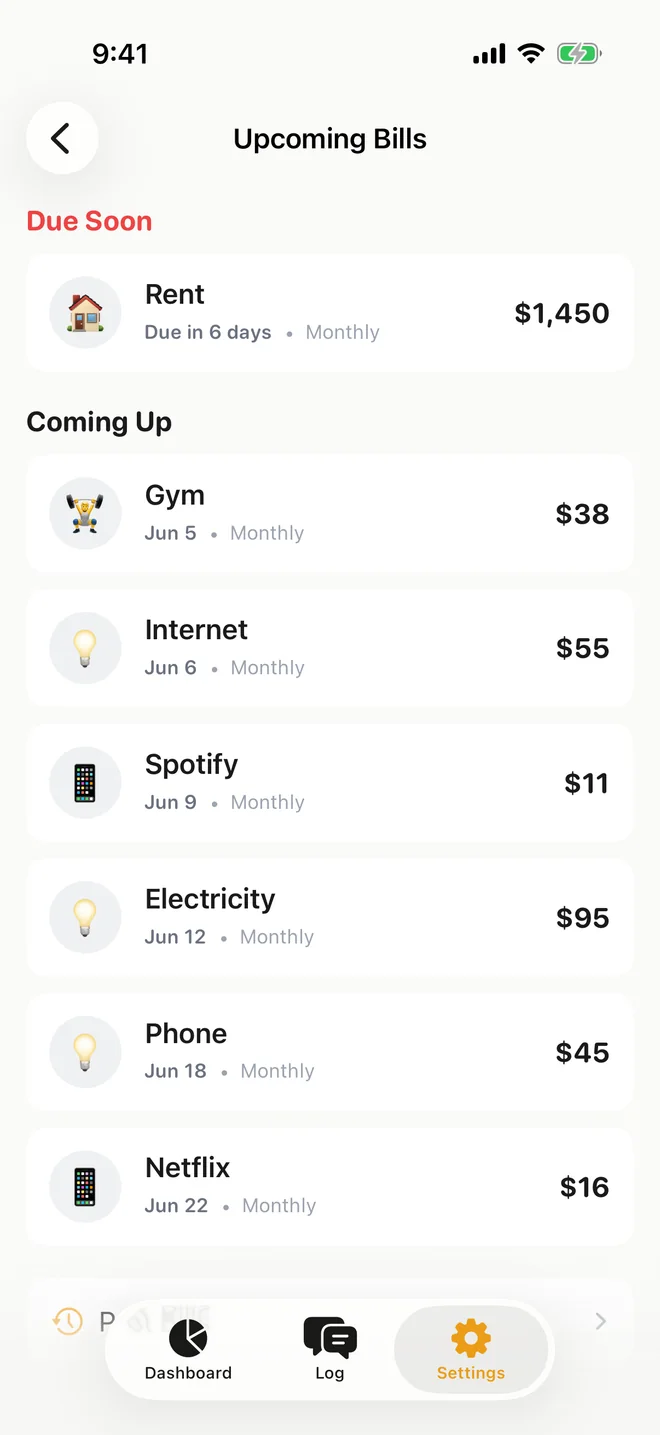
🏠Rent $1,450Due in 6 daysPlanned
12-day streakMystery reward in 2 days
If you can text it, Billy can track it.
Typos, “bucks”, several things at once. Billy reads it the way you'd say it.
coffee 4.50☕Food & Drink$4.50
groceries 64.20 yesterday🛒Groceries$64.20
uber 18🚕Transport$18
netflix 15.49 every month🎬Subscriptions$15.49
twenty bucks for gas⛽Transport$20
gym 38 monthly💪Health & Fitness$38
gift for mom 40🎁Gift$40
coffee 4.50☕Food & Drink$4.50
groceries 64.20 yesterday🛒Groceries$64.20
uber 18🚕Transport$18
netflix 15.49 every month🎬Subscriptions$15.49
twenty bucks for gas⛽Transport$20
gym 38 monthly💪Health & Fitness$38
gift for mom 40🎁Gift$40
pizza 18 and movies 12 last night🍕2 items, yesterday$30
costco 186.20🛒Groceries$186.20
paycheck 2400💰Income+$2,400
rent 1450 on the 1st🏠Housing$1,450
twelve bucks for lunch🍽️Food & Drink$12
dunkin 6.50☕Food & Drink$6.50
amazon 34.99📦Shopping$34.99
electric bill 95💡Bills & Utilities$95
pizza 18 and movies 12 last night🍕2 items, yesterday$30
"netflix 15.49 every month" becomes Subscriptions, $15.49
"twenty bucks for gas" becomes Transport, $20
"gym 38 monthly" becomes Health & Fitness, $38
"gift for mom 40" becomes Gift, $40
"pizza 18 and movies 12 last night" becomes 2 items, yesterday, $30
"costco 186.20" becomes Groceries, $186.20
"paycheck 2400" becomes Income, +$2,400
"rent 1450 on the 1st" becomes Housing, $1,450
"twelve bucks for lunch" becomes Food & Drink, $12
"dunkin 6.50" becomes Food & Drink, $6.50
"amazon 34.99" becomes Shopping, $34.99
"electric bill 95" becomes Bills & Utilities, $95
How it works
You talk. Billy does the rest.
No forms, no spreadsheets, no bank logins. Just a quick note whenever money leaves your pocket.
1
Say it your way
Type it, hold the mic and say it, or snap the receipt. Whatever's quickest in the moment.
TypeTalkSnap
lunch 12
“twelve bucks for lunch”
JOE'S DELITurkey club 11.50Iced tea 3.00TOTAL 14.50
2
Billy sorts it
He picks out every item, amount, category, date and currency, even when you squeeze several into one message.
pizza18
and
movies12last night
itemamountdate
🍕PizzaFood & DrinkYesterday$18
🎬MoviesEntertainmentYesterday$12
3
You know where you stand
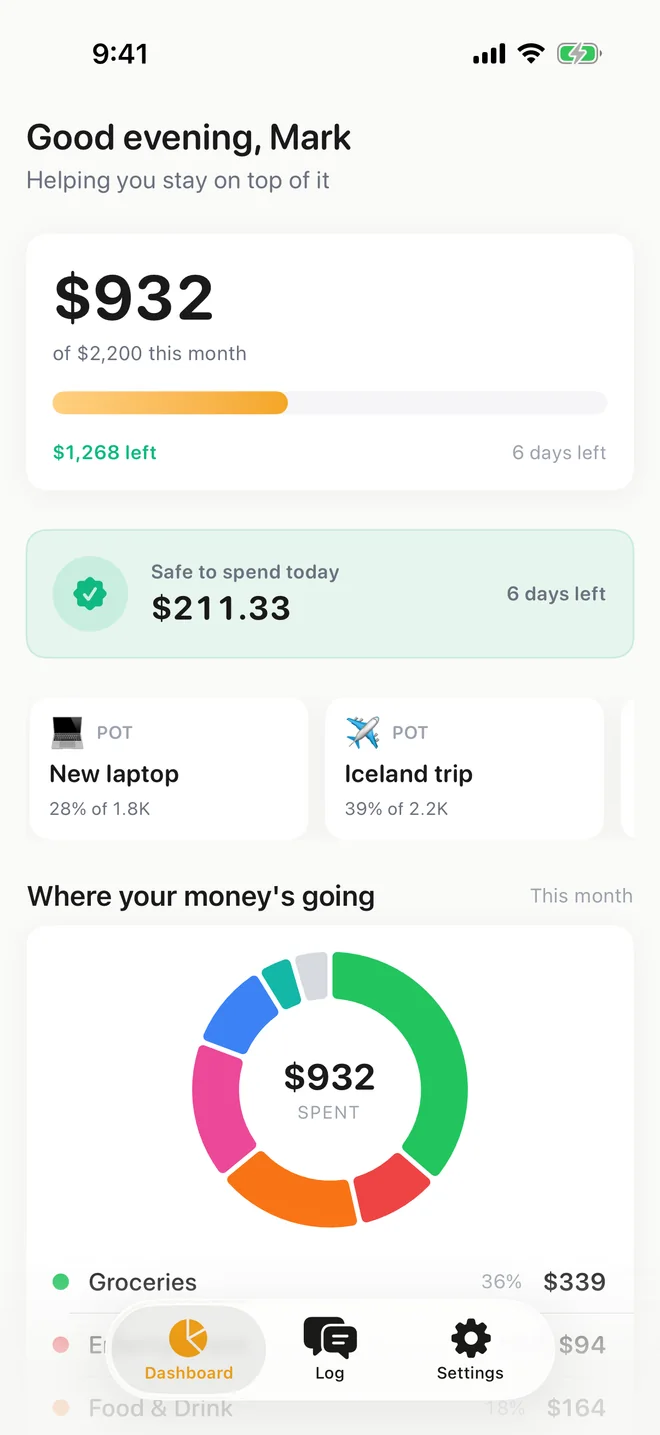
Your budget, bills and goals update instantly, so one glance tells you what's safe to spend today.
✓ Safe to spend today $64.206 days left
$932of $2,200 this month
$1,268 leftBills already planned ✓
Try it right now
Go on. Tell Billy what you spent today.
Type it the way you'd text a friend. Billy turns it into tidy expenses and works out what's safe to spend. Nothing here is saved.
Billy Ready when you are
Billy
Hi, I'm Billy. Tell me something you spent today, the way you'd text a friend. Several things at once is fine too.
Safe to spend today $64of $64
Everything you log today comes off this number.
How Billy gets today's number
Demo month
Monthly budget$2,000
−minus
Spent before today$1,100
−minus
Bills still to come$260
÷divided by
Days left10
= $64 a day to spend freely
Logged so far
$0
Nothing yet. Tap an example or type your own.
What Billy does for you
Six money jobs, handled.
The tedious parts of budgeting, done quietly in the background. You just keep living your life.
01Logging
Logs it before you forget.
Type it, say it, or snap the receipt the moment you spend. Billy files it under the right category, date and currency. Got something wrong? Reply “make it 90”, or “scratch that” to undo.
Voice and receipt photos
Several things in one message
Fix anything by just saying so
02Daily number
Tells you what’s safe to spend today.
Billy takes your monthly budget, subtracts what you’ve spent and every bill still to come, then splits the rest across the days left. One honest number that updates every time you log.
Overspend gets spread over the days ahead
On your Home Screen and Lock Screen
Category budgets too
03Bills
Sees your bills coming.
Add rent, subscriptions and utilities once. Billy plans for them before they’re due, nudges you the day before, and logs fixed bills for you on the day.
“Due soon” at a glance
A reminder the day before
Fixed bills log themselves
04Saving
Makes saving feel like progress.
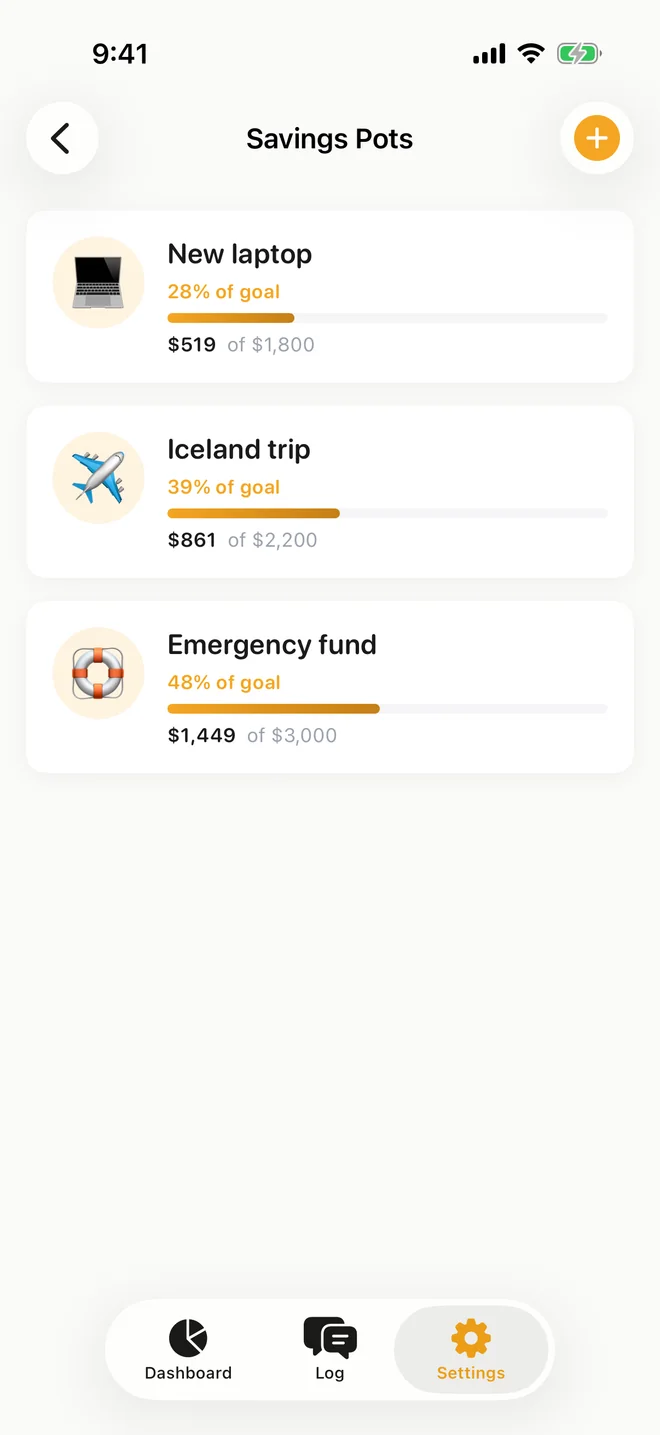
Make a pot for the laptop, the trip, the rainy day, and watch each one fill up. Spend from a pot and your everyday budget stays untouched. Pots keep score while your money stays in your bank.
Goals and target dates
Spend straight from a pot
No transfers or new accounts
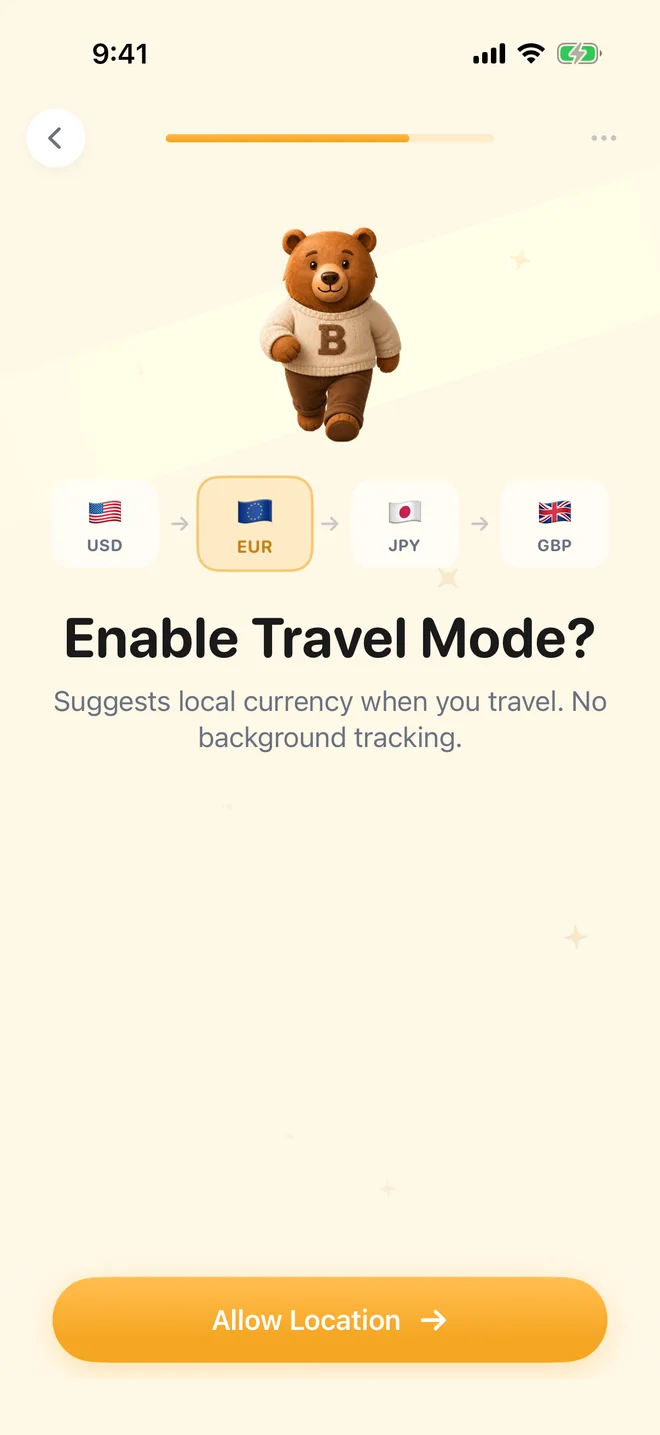
05Travel
Comes on vacation too.
Land somewhere new and Billy asks if you want to switch to the local currency. Pay in yen, euros or pesos, see everything in dollars, and give the trip its own pot with a daily spending plan.
Asks before it switches currency
A daily budget for the trip
Currency converter that works offline
06Insights
Shows you where it all goes.
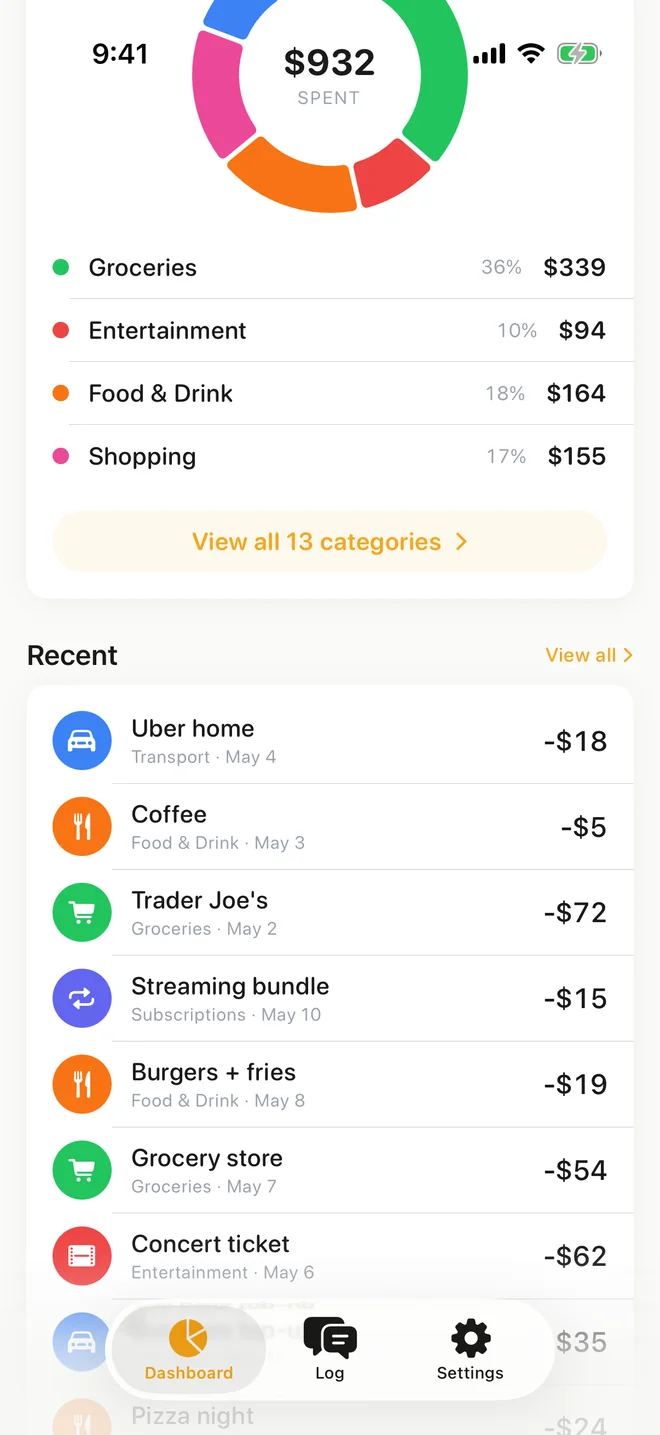
See spending by category, this week against last week, and trends across a month, three months or a year. No judgement, just a clear picture.
Category breakdowns
Your last 7 days vs the week before
A friendly recap every Sunday
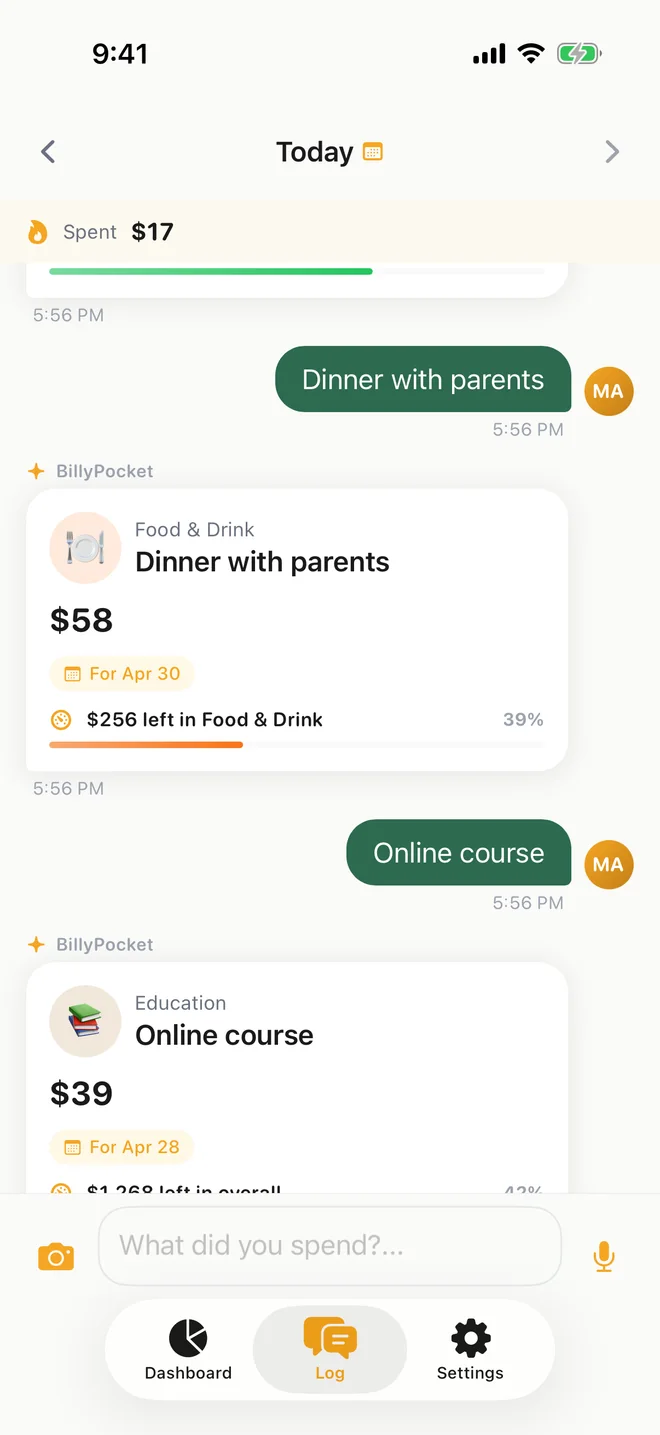
“Dinner with parents” → Food & DrinkText, voice or a receipt
Bills already accounted forUpdates as you log
Rent due in 6 daysReminder the day before
Iceland trip 39% there“coffee 5 from my vacation pot”
¥1,200 ramen ≈ $8.04Trip pot: $142 a day
Groceries 36% of spendingSunday recap
Screens shown are from the BillyPocket iPhone app: The BillyPocket log: chat messages turned into expense cards with categories and budget left; The BillyPocket dashboard showing the monthly budget and safe to spend today; Upcoming bills in BillyPocket with rent due soon and monthly subscriptions; Savings pots in BillyPocket: new laptop, Iceland trip and emergency fund with progress bars; BillyPocket travel mode setup switching between dollar, euro, yen and pound; BillyPocket spending donut by category above a list of recent expenses.
And there's more in his pocket
Little things that make it stick.
Your number, right on your Lock Screen
Check what's safe to spend, or start a log, without even opening the app. Widgets for your Home Screen and Lock Screen.
Thursday, October 19:41
$64
Safe to spend today $64.206 days left this month
$Quick Log
Voice Log
Budget Pulse $1,268left this month
Just say it
Hold the mic and say “twelve bucks for lunch”. Billy writes it down.
Snap or share a receipt
Take a photo, or share up to five from your camera roll. Billy reads the total and logs it.
Gentle nudges, never nagging
A heads-up when a budget hits 80%, a reminder the day before a bill, and a friendly recap every Sunday.
BillyPocketHeads up, Food & Drink is at 80% of its budget.now
BillyPocketRent ($1,450) is due tomorrow.9:00
BillyPocketYour weekly recap is ready.Sun
✈️ Travel mode
Your travel buddy, too
Land somewhere new and Billy asks if you want to switch to the local currency. Pay in yen, euros or pesos and he shows it all in dollars, plus how much you can spend each day of the trip.
Spots a new country and asks before switching
Every purchase converted to dollars
A daily budget from your trip pot
Currency converter that works offline
✈️
📍Looks like you're in JapanSwitch to yen for this trip?Switch
🍜RamenFood & Drink¥1,200≈ $8.04
Tokyo trip pot🇯🇵 🇰🇷$142 a day $852 left, 6 days to go
¥5,000 = $33.50 offline
Changed your mind? Just say so.
“Make it 15”, “that was yesterday” or “scratch that”. No menus, no hunting for an edit button.
Bucks, twenties, “last night”, “every month”. Billy gets it, typos and all.
No bank login. Ever.
Billy never asks for your bank details. Export everything as CSV or JSON whenever you like.
Streaks and rewards
A few seconds a day. Something sweet to show for it.
Log at least once a day and your streak grows. Hit a milestone and a mystery box bursts open with a new trophy for your shelf. What's inside? Billy's not telling.
7rewards to collect
100days to the rarest one
Billy's reward shelf🔥 Day 0
Everyone's first reward is waiting. Go on, open it.
Why it matters
Small leaks add up fast.
Nobody notices a $6 coffee. Everybody notices a few thousand dollars a year. Slide these to match your life.
That's about $3,880a year, a little at a time.
12345678910
Kept and grown at 7% a year, that's $55,964 in 10 years.
Not every coffee is a leak. I just make your spending visible, so you get to decide.
Illustration only: the monthly total invested at 7% a year, compounded monthly, for 10 years. Not financial advice.
Coming soon to iPhone
Money, sorted. Just pocket Billy.
Join the waitlist and we'll email you as soon as your spot opens. It takes ten seconds, about as long as logging a coffee.
Get in before the public launch
Send feedback straight to the team from the app
Help decide what Billy learns next
coffee 4.50
✓ Logged. $59.70 left today
FAQ
Questions? Billy's got answers.
Still curious? Email hi@billypocket.com and a human will get back to you.
What exactly is BillyPocket?
A friendly money app for iPhone. You tell Billy what you spent by typing, talking or snapping a receipt, and he sorts it into categories, keeps your budget and bills up to date, and shows you what’s safe to spend today.
Do I need to connect my bank?
No. Billy never asks for bank logins or card details. You tell him what you spent, which takes a few seconds and keeps you aware of every purchase, cash included.
How does Billy work out “safe to spend today”?
He takes your monthly budget, subtracts what you’ve already spent and the bills still due this month, then divides what’s left by the days remaining. Anything you spend today comes off that number. Go over, and he spreads the difference across the days ahead.
What can I say to him?
Pretty much anything with an amount: “coffee 4.50”, “pizza 18 and movies 12 last night”, “twenty bucks for gas”, “netflix 15.49 every month”. He understands several items at once, dates, slang and typos. To fix something, just reply “make it 15” or “scratch that”.
Does it work when I travel?
Yes, he makes a great travel buddy. When you land somewhere new, Billy asks if you want to switch to the local currency. Pay in yen, euros or pesos and see everything in dollars, with an optional trip pot that tells you what you can spend each day. The currency converter even works offline.
What does it cost?
BillyPocket Pro is a subscription. Billy is free to try, and you’ll see the exact price in the app before you pay anything.
What do I need to use it?
An iPhone running iOS 26.2 or later. BillyPocket is iPhone only for now, and the app is in English.
What happens after I join the waitlist?
You’ll get an email to confirm your spot. When your invite is ready, we’ll email you again with everything you need to get started.